Prompt Templates
Create and use prompt templates to guide agent behavior
Prompt templates are reusable prompts that define how agents behave. Create proven prompts once, use them across multiple agents.
Why Templates
- Consistency - Same behavior across agents
- Reusability - Use once, deploy many times
- Easy iteration - Improve template = improve all agents using it
- Speed - Faster agent creation with proven prompts
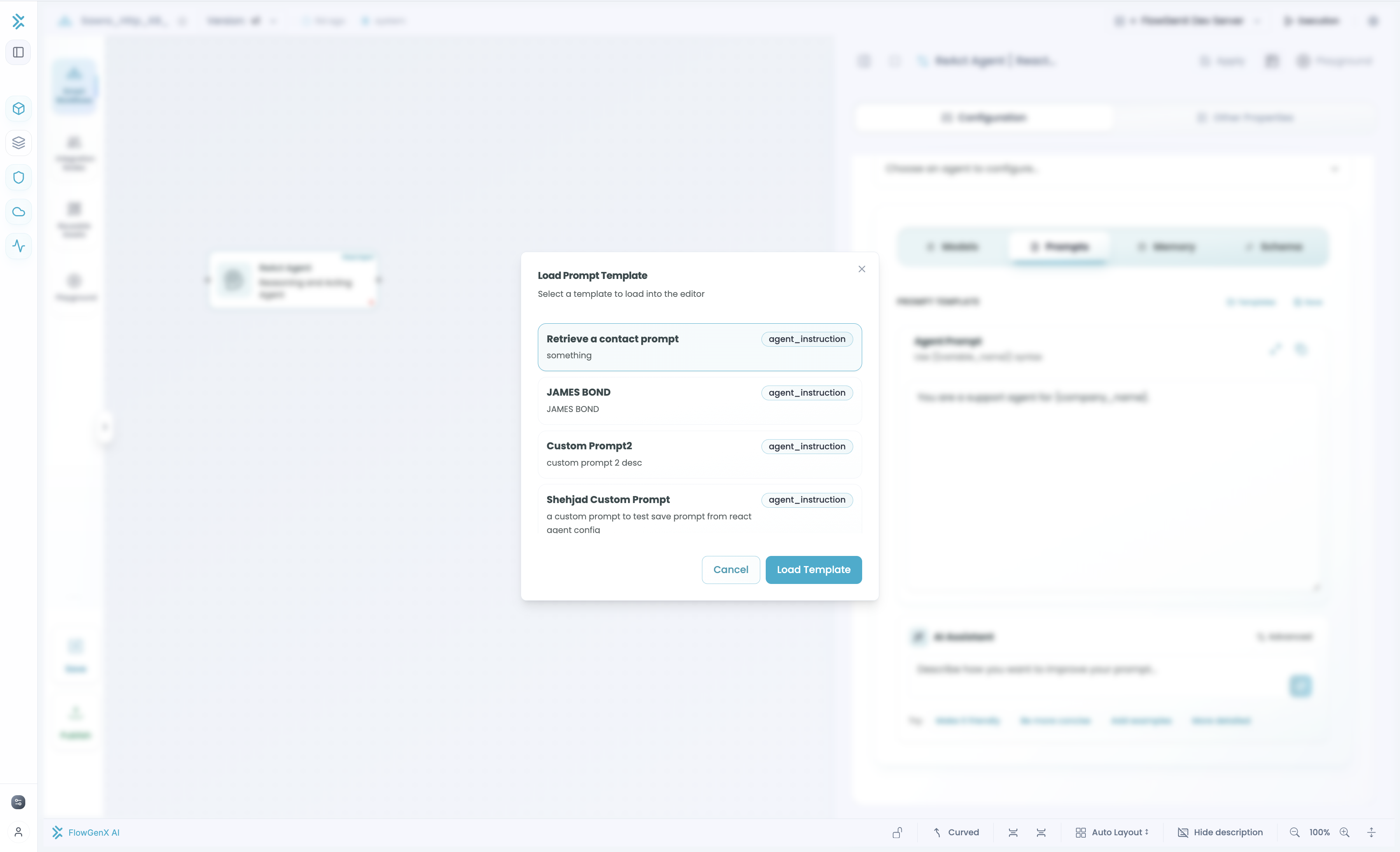
Using Pre-built Templates
FlowGenX provides templates for common scenarios: Customer Support, Data Analysis, Content Generation, Decision-Making, Research Assistant, etc.
To use a template:
- Open agent configuration
- Go to Prompt section
- Click Browse Templates
- Select template to preview
- Click Use This Template
- Customize if needed
Creating Custom Templates
Template Structure:
You are [ROLE].

Your responsibilities are [WHAT YOU DO].

Guidelines:
- [Guideline 1]
- [Guideline 2]
- [Guideline 3]

Always [positive instruction].
Never [constraint].

Format [output format].
What makes a good template:
- Clear role definition
- Specific instructions
- Constraints on length/tone/format
- Examples of good behavior
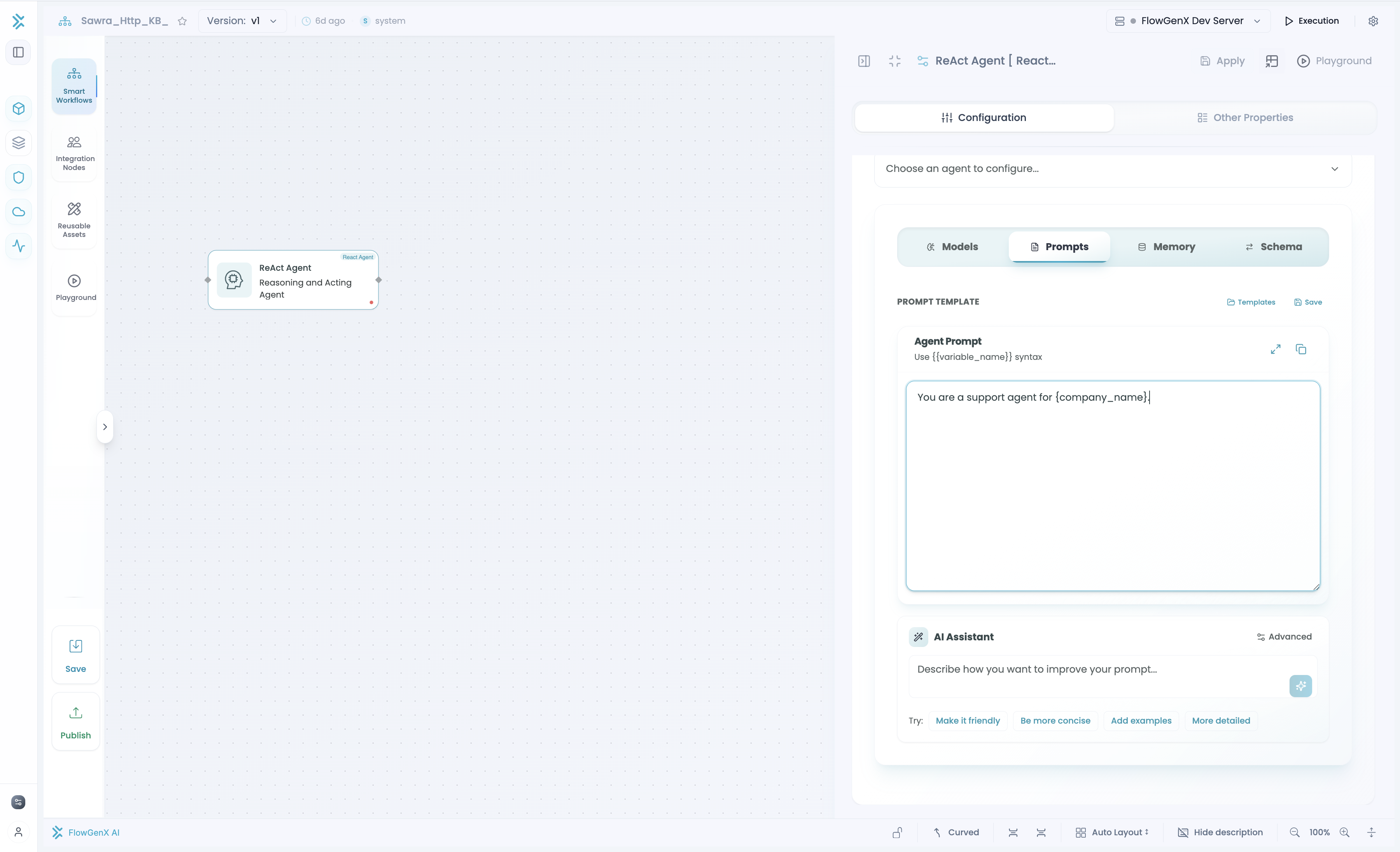
Template Variables
Make templates flexible with {{variable_name}} placeholders:
You are a support agent for {{company_name}}.When the agent runs, variables get filled in automatically.
Common variables:
{{company_name}}- Company name{{user_role}}- User's role{{current_date}}- Today's date
Define variables when creating your template - specify name, type, and default value.
Dynamic Variables with Xpression
Use Xpression to inject live workflow data into prompts:
Process this customer request: {workflow.customer_message}
Analysis for: {previous_node.dataset}
When setting up an agent:
- Click on a variable field
- Click Insert Workflow Variable
- Browse available workflow data
- Select what to inject
Testing Templates
In the template editor:
- Click Test Template
- Provide sample values for variables
- See how complete prompt looks
In Agent Playground:
- Create agent using your template
- Run test inputs
- Observe agent behavior
- Does it follow instructions? Quality good?
Adjust template if needed and re-test.
Template Organization
Keep your template library organized:
Use folders:
- Customer Service
- Data Analysis
- Content Generation
- By industry or use case
Naming:
- "[Purpose] - [Specialization]"
- "Support Agent - Billing Issues"
- "Analyst - Sales Performance"
Common Template Patterns
Support Agent:
You are a customer support specialist for {company_name}.

When customers ask about {topic}:
1. Acknowledge their concern
2. Provide a clear solution
3. Offer additional help

Always be {tone}.
Analysis Agent:
You are a {type} analyst.

When analyzing {data_type}:
1. Identify key metrics
2. Note important patterns
3. Provide insights
4. Format as {format}
Content Generator:
You are a {content_type} creator specializing in {specialty}.

Create {content_type} for {audience} with {tone} tone.
Length: {length}.
Include: {key_elements}.
Best Practices
- Be specific - Vague instructions produce vague results
- Set constraints - Specify length ("under 200 words"), tone, format
- Use context - Inject relevant data from workflow
- Iterate - Test in Playground, refine, test again
- Handle edge cases - Include instructions for unusual situations
Troubleshooting
Agent gives inconsistent answers
- Make prompt more specific
- Add examples of desired behavior
- Lower model temperature (less creativity)
Agent ignores instructions
- Move important instructions to beginning
- Make instructions clearer
- Test with different variables
Agent's responses wrong length
- Add explicit length constraints
- Specify format ("use bullet points")
- Show examples of correct length