Building Agents
The Agent Builder
Configure intelligent agent nodes in your FlowGenX workflow canvas
Agent nodes are configured directly in your workflow canvas. Double-click any agent node to open its configuration panel.
Creating an Agent Node
- Click Add Node in your canvas
- Select Agent from the node type menu
- Double-click the node to configure it
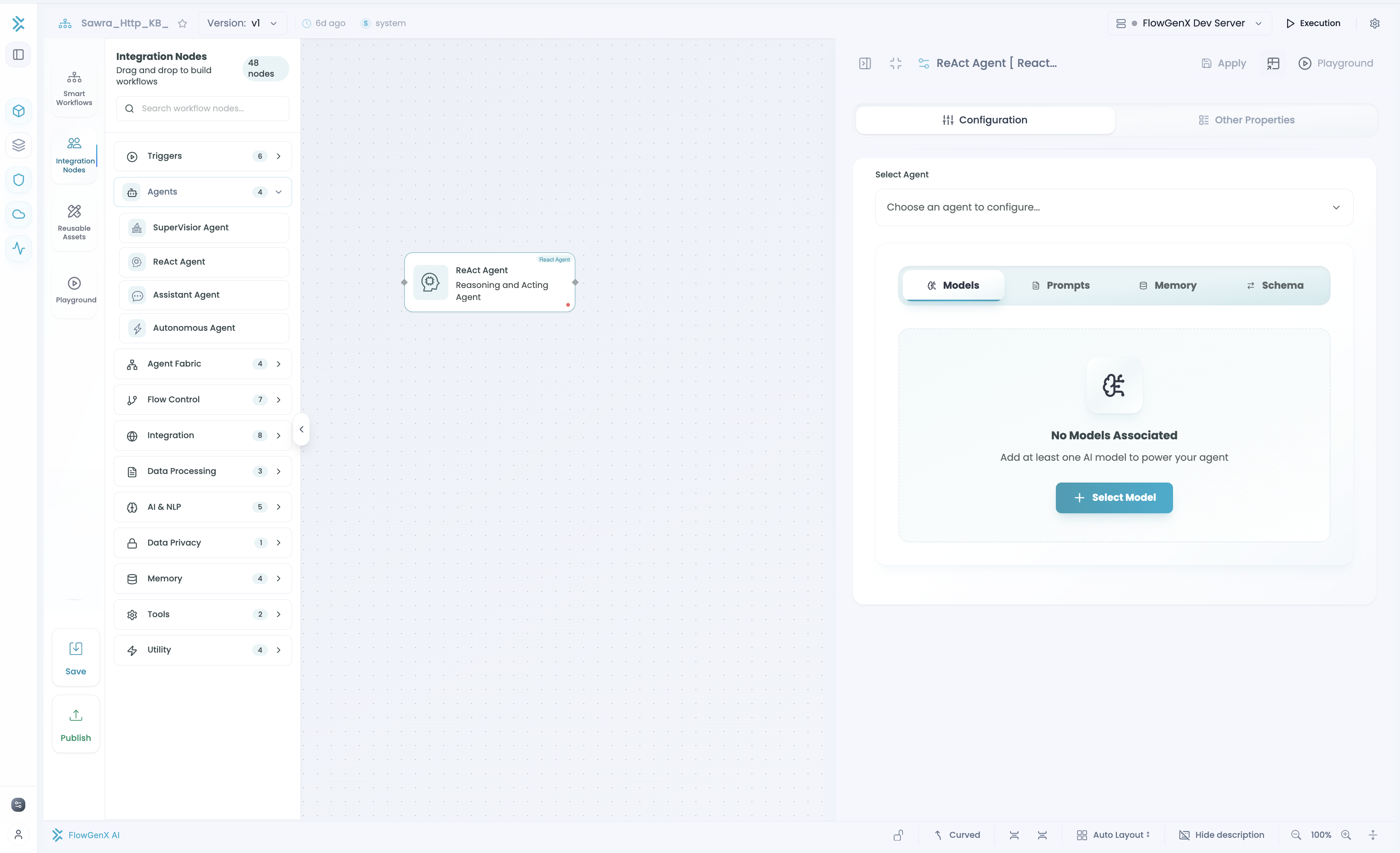
Agent Configuration
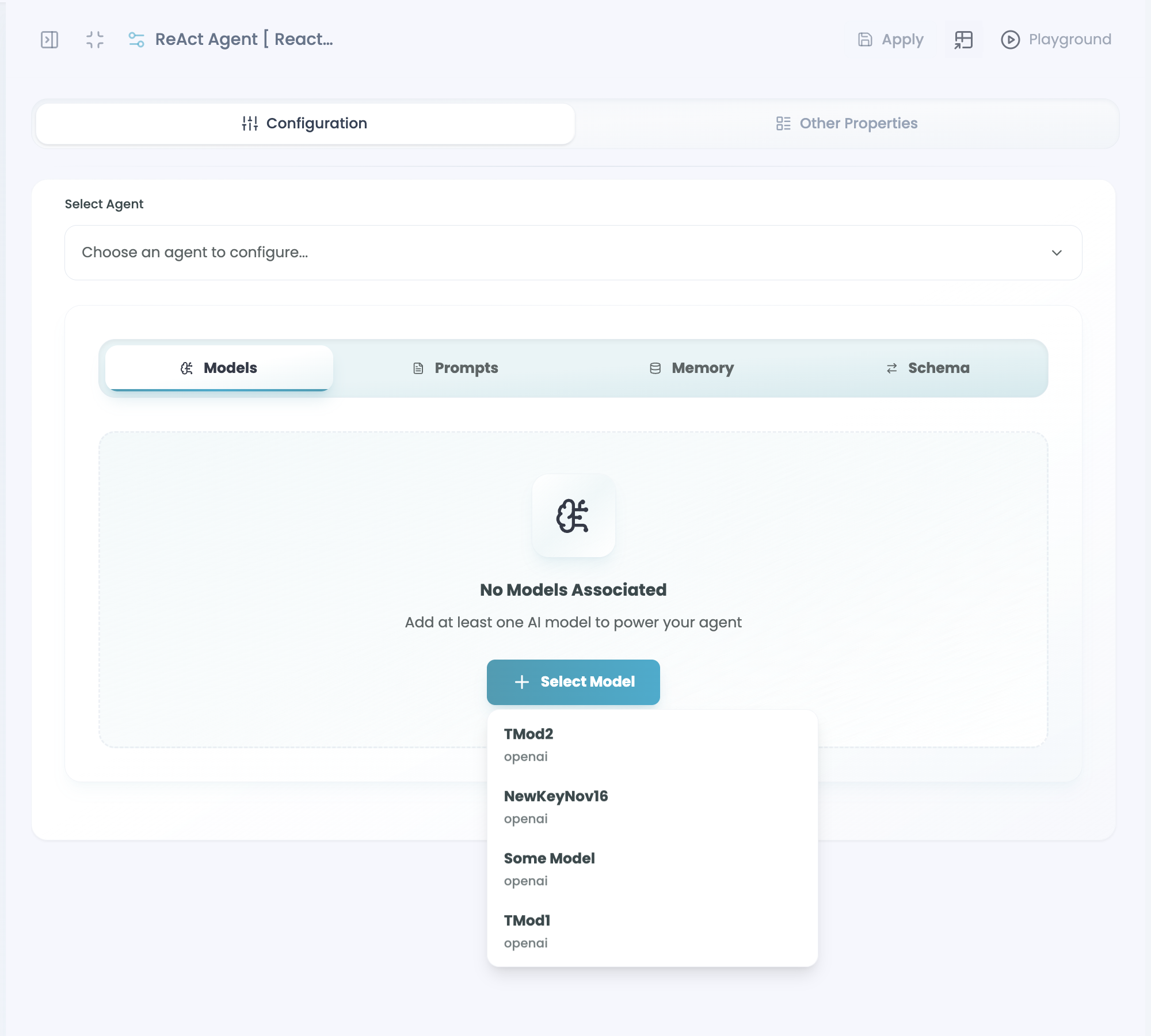
1. Model Selection
Pick your LLM:
- Claude (Anthropic) - Excellent reasoning
- GPT-4 (OpenAI) - Strong general-purpose
- Groq - High-speed inference
Configure parameters: Temperature (creativity level), max tokens (response length).
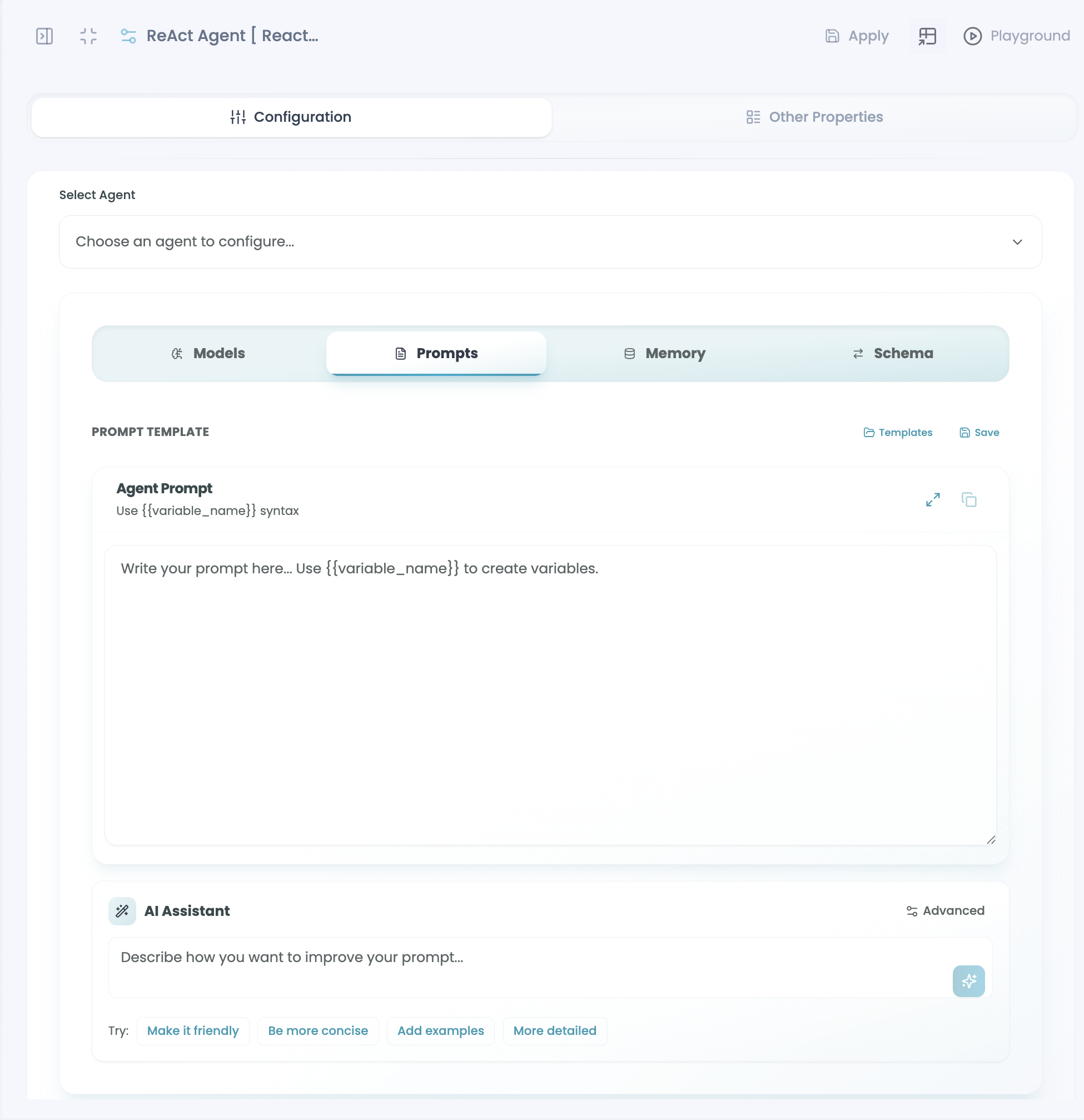
2. Prompt Configuration
Option A: Use a pre-built template (fastest)
- Browse template library
- Select and apply
- Customize if needed
Option B: Write custom prompt
- Define agent's role and instructions
- Use dynamic variables for flexible content
- Use FlowGenX Xpression to inject workflow data
Example: You are a {agent_role}. Process the customer request: {workflow.customer_message}
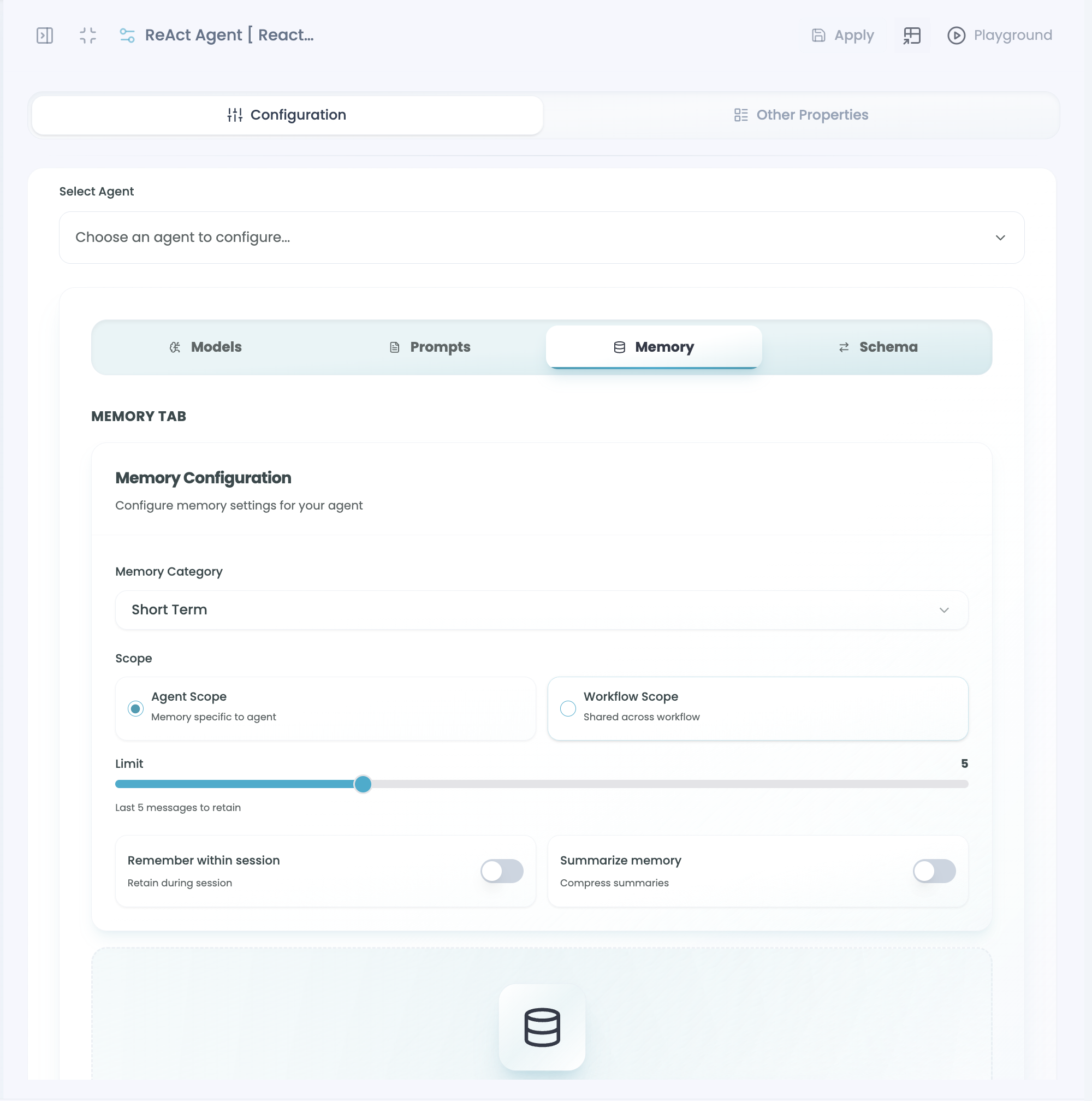
3. Memory Configuration
Choose what your agent remembers:
Memory Type:
- Conversation memory - Recent messages in current chat
- Task memory - Progress during multi-step processes
- User memory - Patterns and preferences over time
Memory Scope:
- Execution-level - Agent only remembers its own interactions
- Workflow-level - Agent has full workflow context
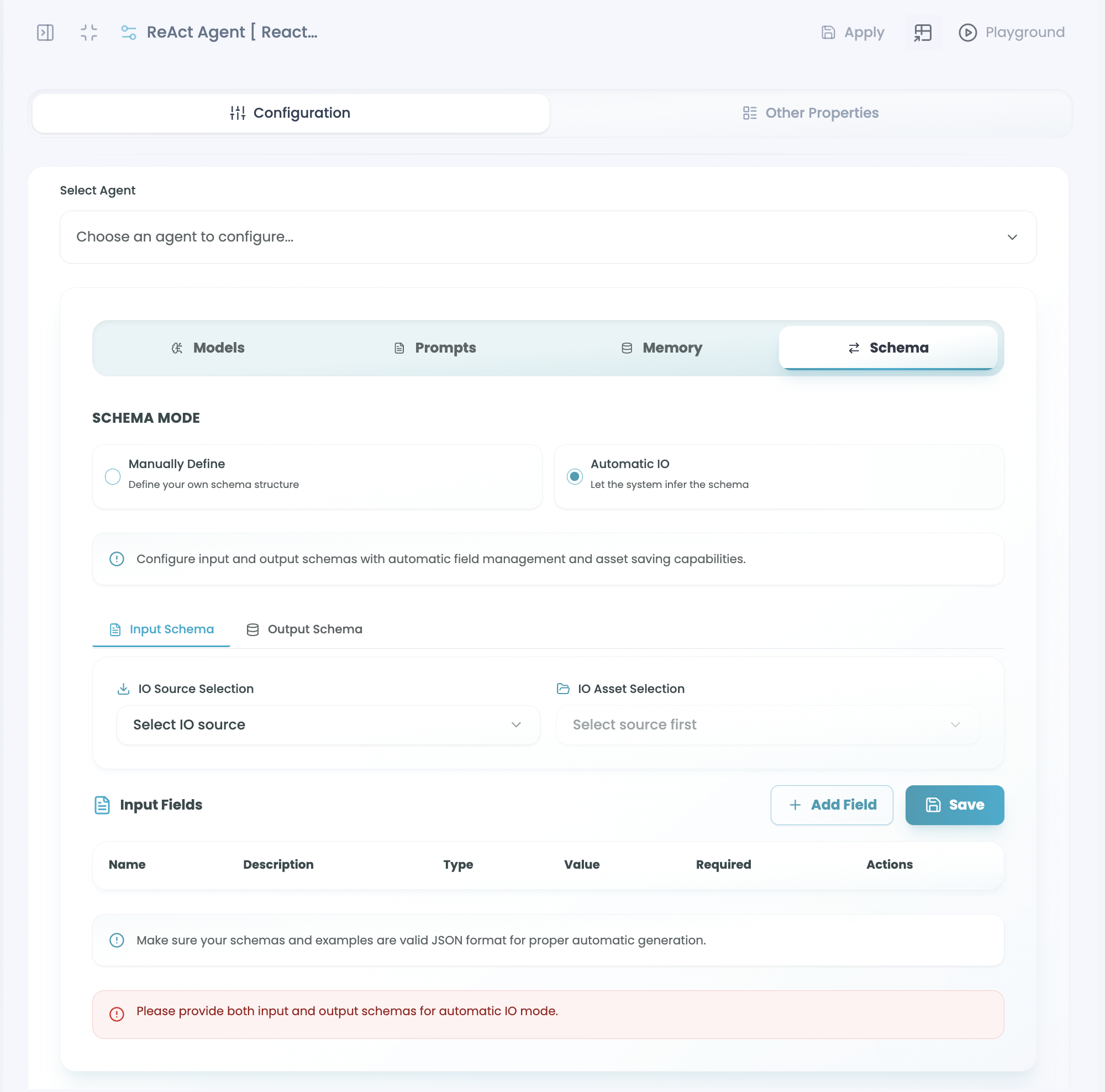
4. Input/Output Schema
Define data flow:
- Input Schema - What data structure agent receives
- Output Schema - What data structure agent sends to next node
See the Input/Output Schema page for detailed configuration.
Testing Your Agent
Once configured, don't test in the builder. Instead:
- Complete your full workflow
- Click Test to open the Agent Playground
- Run test inputs and observe behavior
- Debug any issues
- Return to canvas to adjust if needed
Best Practices
- Start with React agents - Most versatile for most use cases
- Use templates - Pre-built prompts save time
- Test thoroughly - Use the Playground before production
- Only include necessary tools - More tools = more options for agent to choose from
- Clear prompts - Specific instructions produce better results
- Validate tool connections - Ensure tools work before relying on them