Agent Playground
Test and debug your agent workflows in real-time
The Agent Playground is your testing environment for complete workflows. Test behavior with real data before deploying to production.
What It Is
After building your workflow, open the Playground to:
- Test end-to-end - See all nodes perform together
- Try different inputs - Validate with diverse data
- Observe execution - Watch each node's processing in real-time
- Debug issues - See exactly where things fail
Accessing the Playground
- Build your complete workflow in the canvas
- Click Playground button in your canvas
- Playground opens
- Ready to test
Your workflow should have:
- At least one react agent
- Connected nodes with proper flow
- Configured agent nodes with model, prompt, tools
- Valid input/output schemas
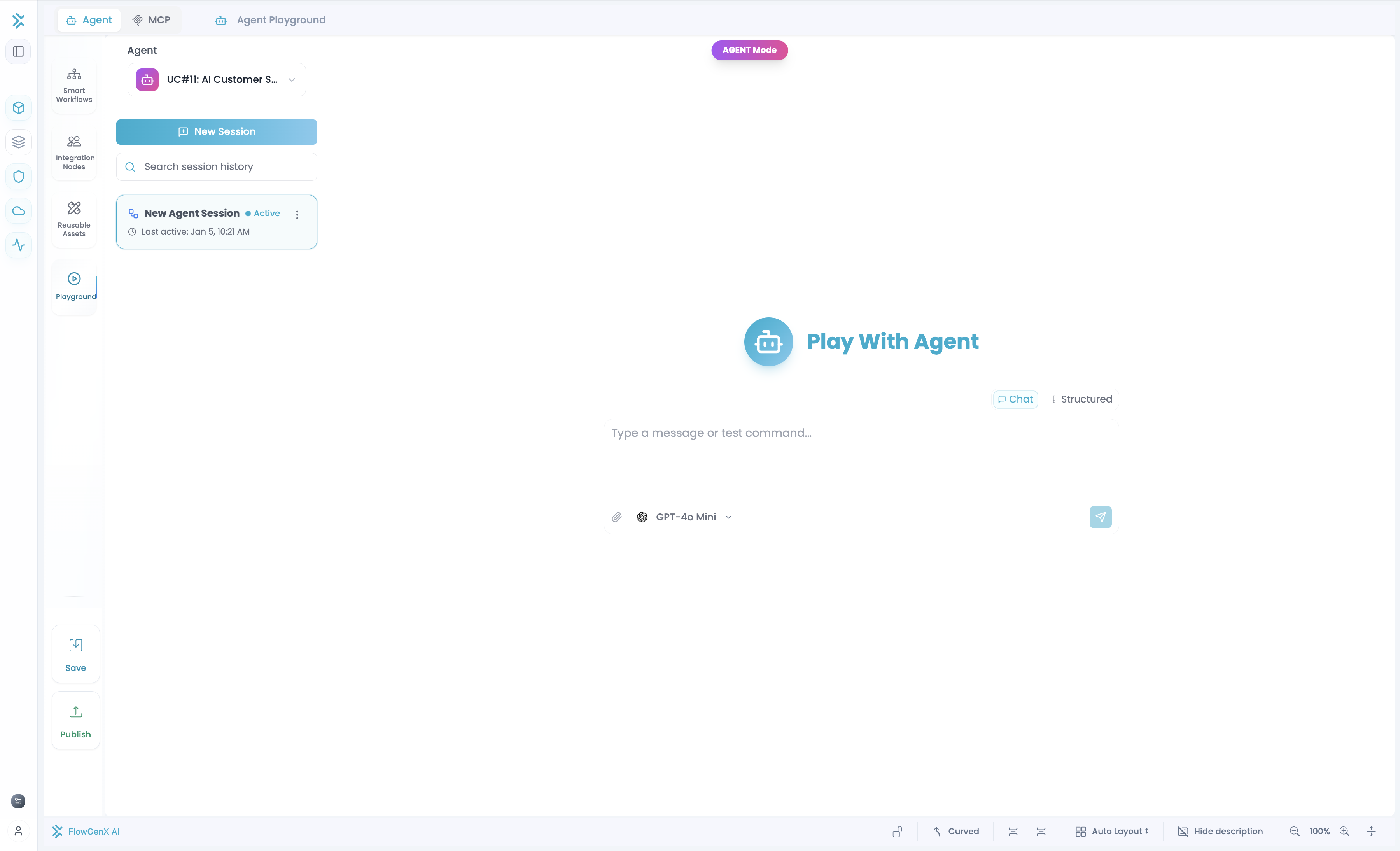
Testing Modes
Chat Mode
Natural conversation testing. Type messages and see results.
Best for: Conversational agents, multi-turn interactions, free-text testing
Structured Input Mode
Dynamic form based on your workflow's input schema. Fill fields and submit.
Best for: Workflows with specific required fields, form-based input, structured data
Switch between modes with the tabs at the top.
Real-Time Execution View
As your workflow executes:
Execution Timeline: See each node process in order with timestamps.
Node Output Visibility: For each node see:
- Input - What data it received
- Processing - What happened (for agents: reasoning, tool calls)
- Output - The result
For Agent Nodes:
- Agent's reasoning process
- Which tools were called
- What tools returned
- Agent's final response
This helps debug - if output is wrong, you can trace whether it was:
- Wrong input received?
- Agent misunderstood the prompt?
- Wrong tool called?
- Tool returned bad data?
[Screenshot: Execution timeline with node outputs]
Sessions
Each test run is a "session" - one complete workflow execution.
Continue in same session:
- Chat mode: Send another message (memory persists)
- Structured: Modify form and re-submit
Start new session:
- Click New Session
- Memory clears, agent starts fresh
- Use when testing completely different scenarios
Session history:
- Past sessions are saved
- Re-run previous tests
- Compare behavior across sessions
[Screenshot: New Session button and session list]
Debugging
Common Issues
Agent not using a tool:
- Check execution log - was tool called?
- If not: Review prompt. Does it clearly explain when to use the tool?
- If yes: Check if tool returned data
Agent gives wrong answers:
- Check input received - is it correct?
- Check reasoning - does agent understand task?
- Check tool outputs - is data accurate?
Workflow fails partway:
- Check timeline - which node failed?
- See error message on that node
- Fix configuration and re-test
Slow performance:
- Check latency per node
- Agent nodes: Token usage? Model choice?
- Tools: External APIs slow?
Iteration Loop
- Test in Playground
- Observe results
- Identify issues
- Go back to canvas and fix
- Return to Playground and re-test
- Repeat until correct
Testing Strategy
Test multiple scenarios:
- Happy path - Normal, expected input
- Edge cases - Unusual but valid inputs, special characters, missing fields
- Errors - Invalid input, tool failures
- Consistency - Same workflow multiple times
Use realistic test data:
- Similar to production data
- Real formats and structures
- Representative of actual use cases
Document findings:
- What you tested
- Expected vs. actual results
- Issues found and fixes applied
Agent-Specific Testing
When testing agents, validate:
Prompt Effectiveness
- Does agent understand its role?
- Does it follow instructions?
- Is tone/style appropriate?
- Test with varied inputs
Memory
- Does agent remember context? (chat mode)
- Is memory scope correct?
- Does memory help or hurt?
Tool Usage
- Does agent call appropriate tools?
- Does it use results correctly?
- What if tools fail?
Model Performance
- Is quality acceptable?
- Is speed good?
- Is cost within budget?
Best Practices
- Test early and often - Don't wait until done
- Observe full execution - Don't just look at final output
- Check agent reasoning - Verify the thinking, not just results
- Test memory behavior - Validate it works as expected
- Iterate based on findings - Use results to improve
- Document issues - Keep notes of bugs and fixes
Sharing Results
To share test results with teammates:
- Sessions are automatically saved
- Generate shareable link
- Teammates can view inputs, execution, and results
- Comment on specific executions to discuss