MCP Composer
Build custom MCP servers from scratch with full control over tools and configuration
The MCP Composer allows you to build custom MCP servers by combining tools from multiple sources. You can mix and match API endpoints from different OpenAPI specifications with custom Python functions—all in a single MCP server. This gives you the flexibility to create powerful, multi-capability integrations tailored to your specific needs.
Compose from Multiple Sources
Combine API endpoints and Python functions into unified MCP servers with AI assistance
When to Use MCP Composer
Use the MCP Composer when you need to:
Combine Multiple APIs
Select and combine endpoints from multiple OpenAPI specifications into a single unified server.
Add Python Functions
Build custom Python tools with AI assistance for complex logic, calculations, or data transformations.
AI-Assisted Creation
Use the embedded AI agent to generate Python tool schemas and implementation code.
Flexible Composition
Mix API endpoints and Python functions freely—create exactly the tool set your agents need.
Step-by-Step Guide
Follow these steps to create a custom MCP server:
Step 1: Select MCP Composer
1
Choose MCP Composer
Navigate to Integration Studio → MCP Servers and click Create MCP Server. Select "MCP Composer" as the server type to build from scratch.
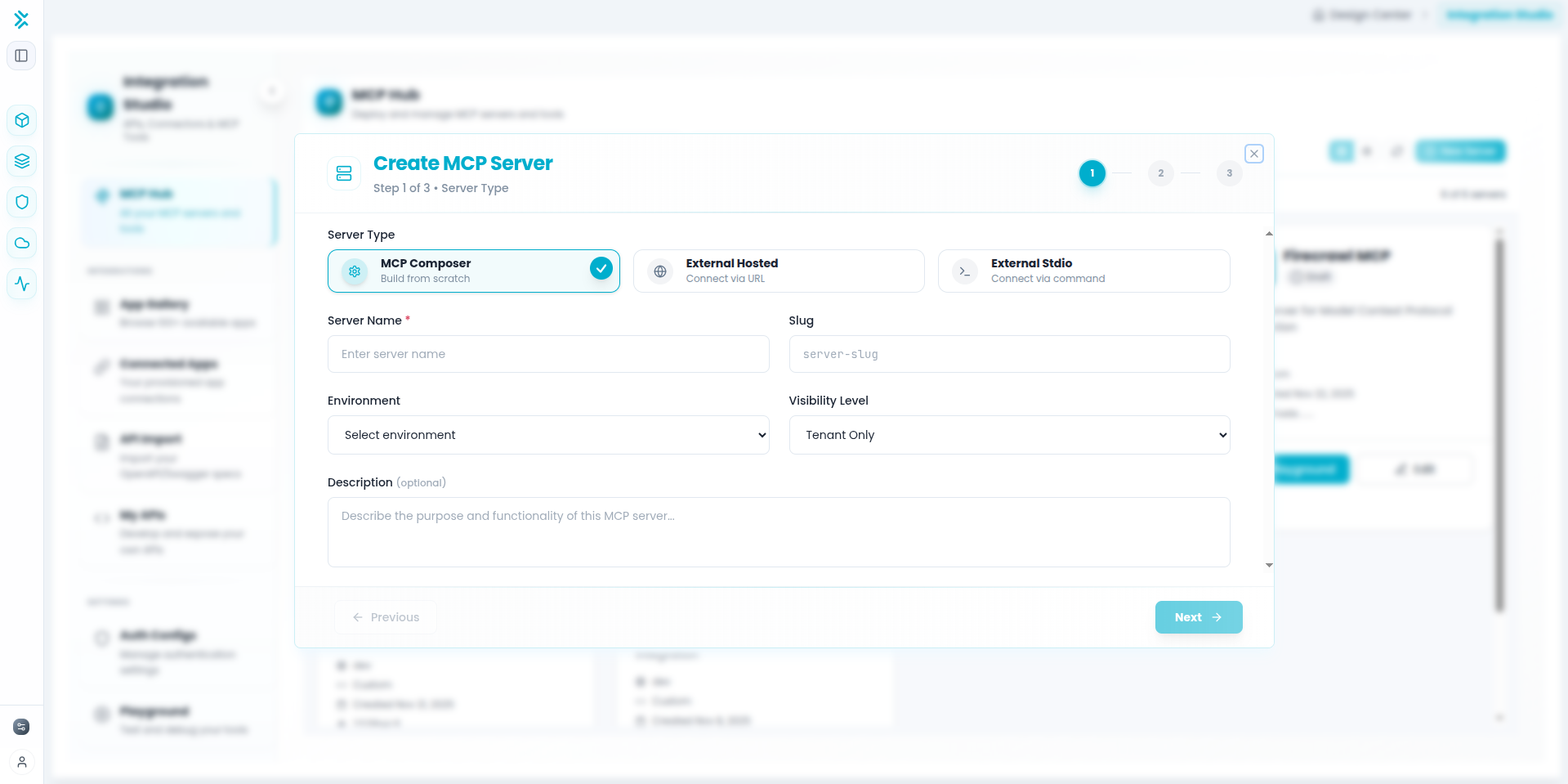
Step 2: Configure Server Details
2
Enter Server Information
Fill in the basic server configuration:
- Server Name - Descriptive name (e.g., "Data Processing Tools")
- Slug - Auto-generated unique identifier
- Environment - Target deployment environment
- Visibility Level - Access control (tenant-only, organization-wide, etc.)
- Description - Explain the server's purpose for AI agents
Step 3: Add Tools from Multiple Sources
3
Compose Your Tool Set
Click Create New Tool to add tools. You have two options:
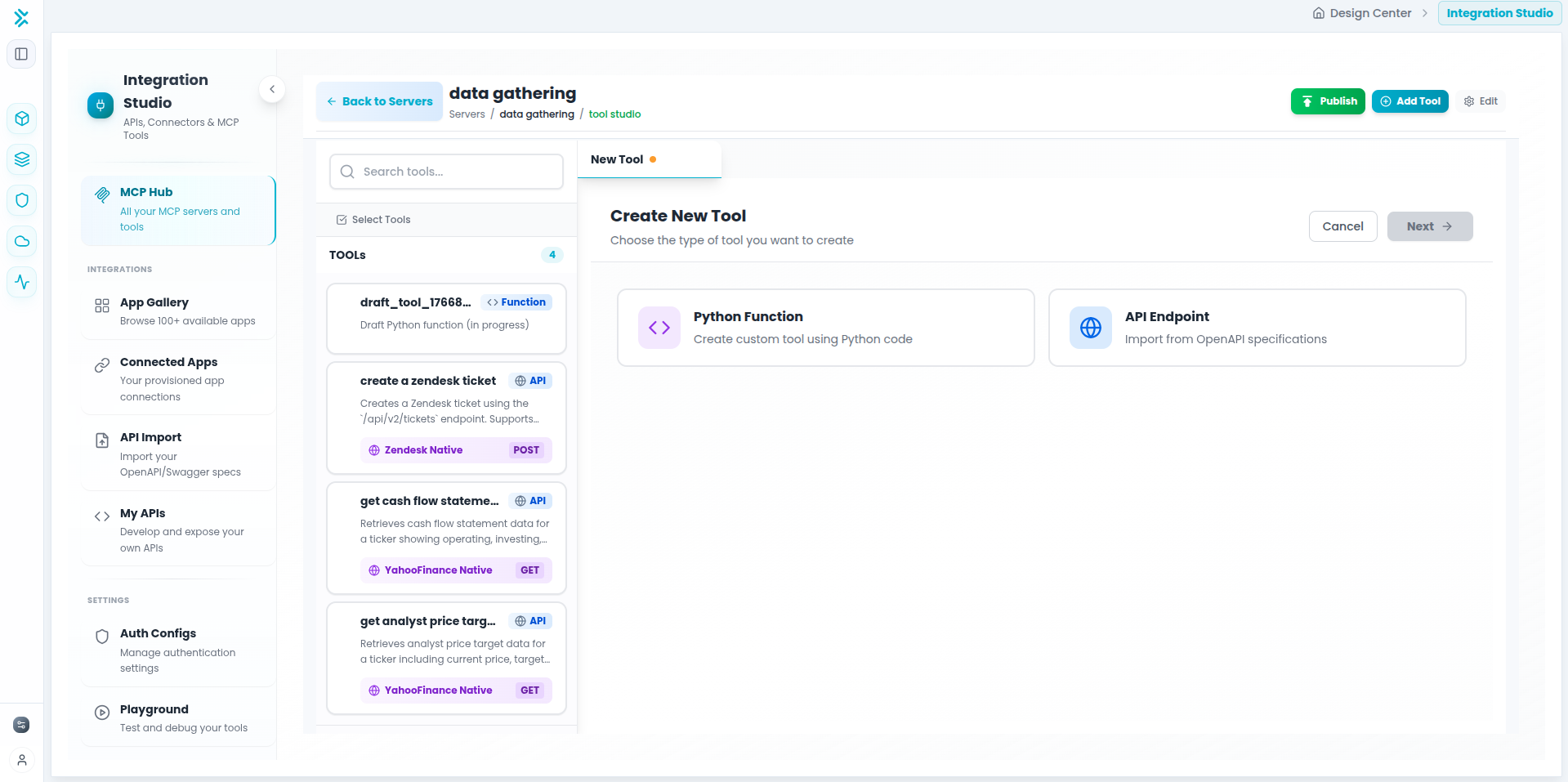
Adding Tools to Your Server
Once your server is created, you can compose it by adding tools from different sources.
Option 1: Add API Endpoints from Multiple Specs
Select API Endpoints
Choose API Endpoint when creating a new tool. You can browse and select endpoints from multiple OpenAPI specifications. Each API Composer you've created appears in the left sidebar—expand any to see available endpoints.
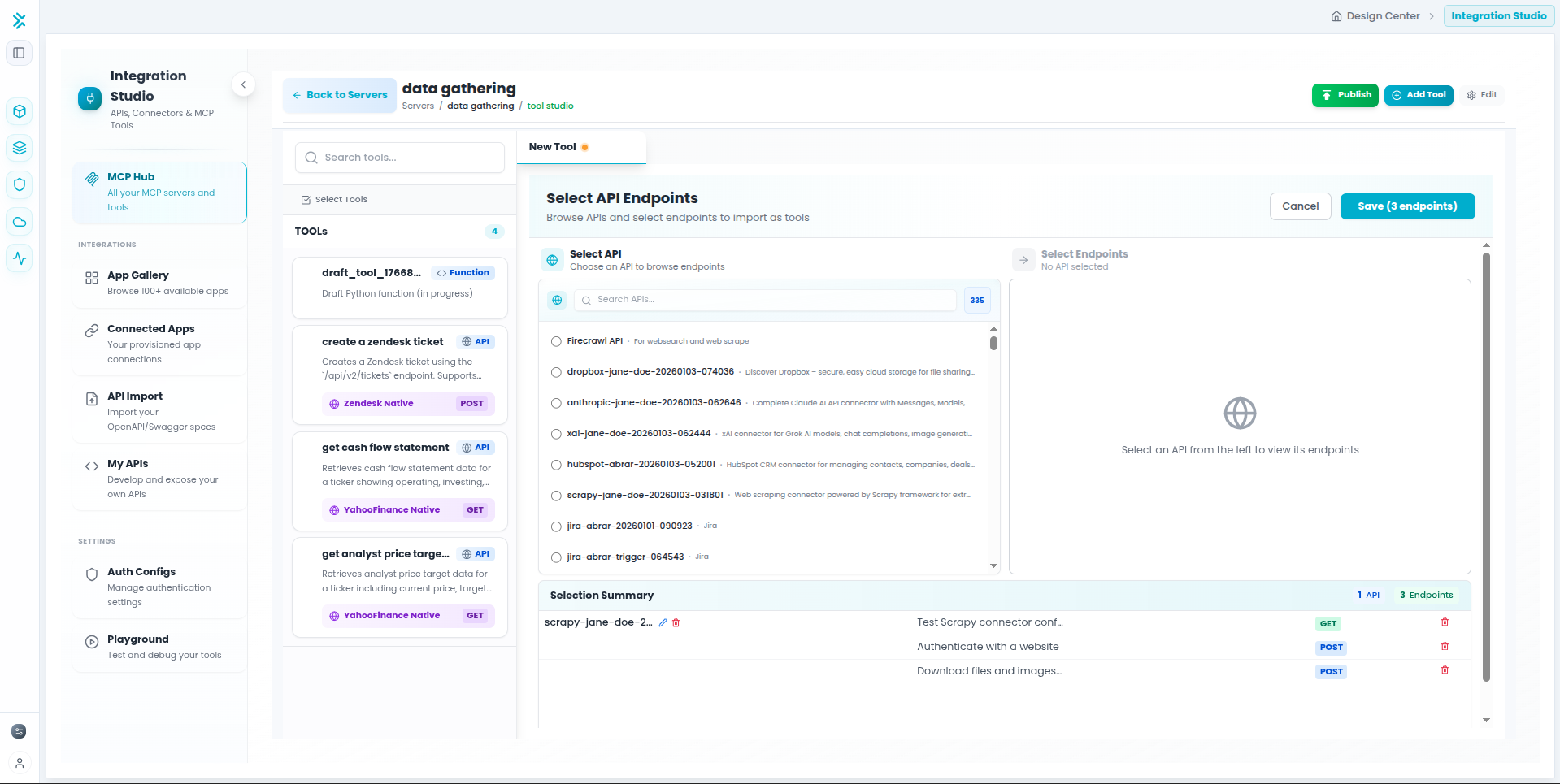
Key Feature: You can combine endpoints from different API sources—select tools from your CRM API, payment gateway, analytics platform, and more, all in one MCP server.
Option 2: Create Python Function Tools
Build Custom Python Tools with AI
Choose Python Function to create custom tools with embedded AI assistance. The interface provides an AI agent that helps you generate tool schemas and implementation code based on your requirements.
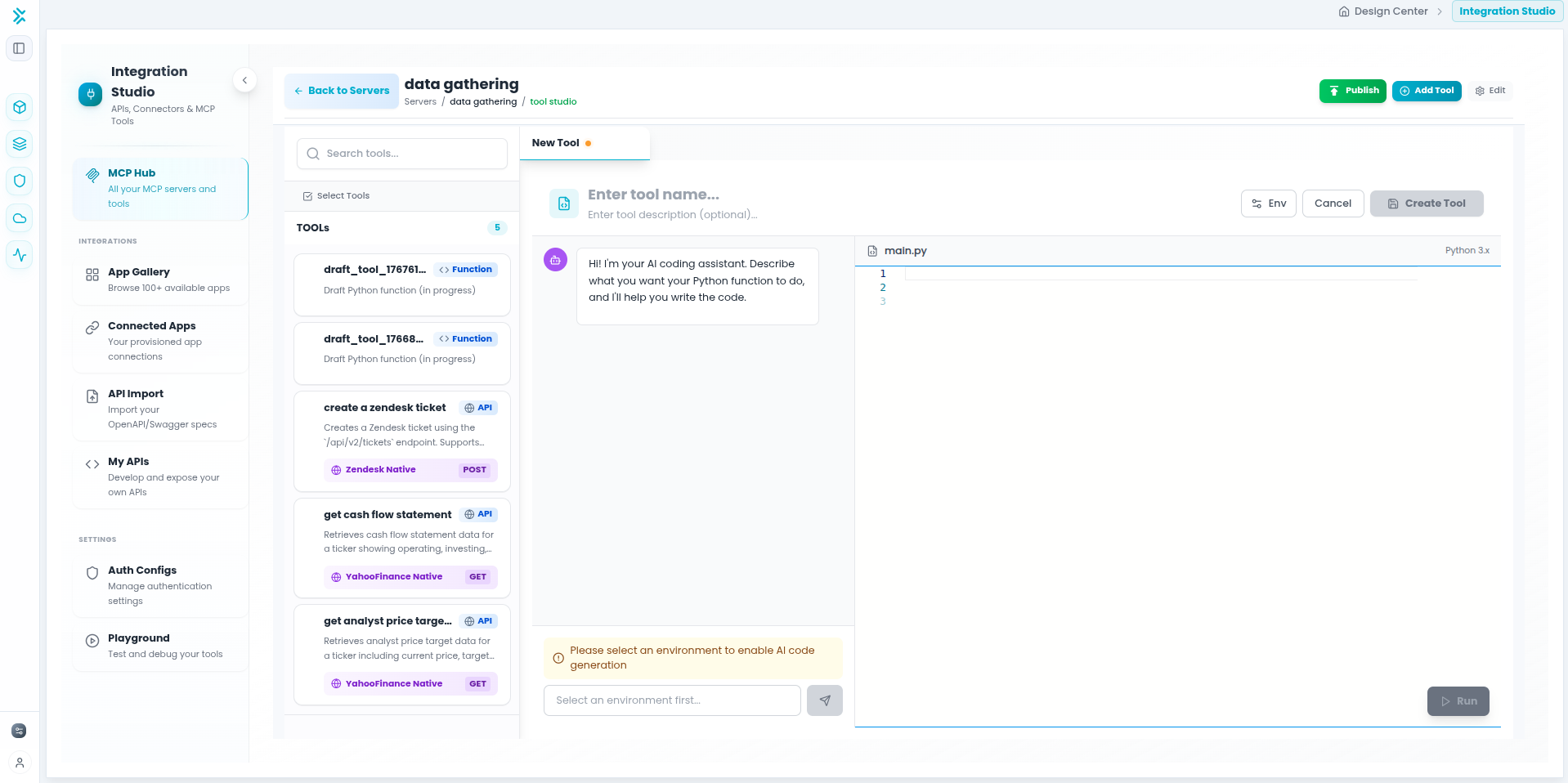
How it works:
- Describe your tool's requirements to the AI agent
- The agent generates input/output schemas automatically
- Get implementation code scaffolding with best practices
- Iterate with the AI to refine complex logic
Learn more about Python tools →
Managing Your Tools
Edit Tools
Click any tool to modify its schema, execution logic, or metadata. Both API endpoint and Python function tools can be fully edited after creation.
Remove Tools
Delete tools individually or in bulk. Remove tools from active agents before deletion to avoid runtime errors.
Testing and Publishing
Publishing Your Composed Server
- Test each tool individually using the built-in test interface
- Verify that API endpoints and Python functions work together correctly
- Set all tools to "Published" status (draft tools won't be visible to agents)
- Click Publish Server to make it available in the Agent Playground
Best Practices for Composed Servers
Tips for Building Effective Composed Servers
- Group by purpose, not by source - Organize tools by what they accomplish (e.g., "Customer Data Tools") rather than by API provider. This helps agents understand the server's purpose.
- Mix complementary capabilities - Combine API endpoints for data retrieval with Python functions for data transformation or validation in the same server.
- Leverage AI for Python tools - Use the embedded AI agent to generate schemas and code. It understands context and can create tools that integrate well with your API endpoints.
- Write clear, agent-focused descriptions - Describe what each tool does and when agents should use it. Good descriptions improve agent decision-making.
- Test interactions between tools - When combining API and Python tools, verify they work together correctly (e.g., Python function can process data from API endpoint).
- Keep servers focused - While you can combine many tools, maintain a clear theme. It's better to have multiple focused servers than one overloaded server.
- Version control your composition - When adding tools from new API specs or updating Python functions, increment the server version to track changes.
Example Use Cases
Real-World Composition Examples
Data Enrichment Server
Combine Clearbit API endpoints (company lookup) with Python functions (data normalization, validation, and enrichment scoring).
Agents can fetch company data via API, then automatically clean and score it using Python logic.
E-commerce Operations Server
Mix Shopify API endpoints (product management) with Stripe API endpoints (payments) and Python functions (inventory calculations, discount logic).
One server handles product updates, payment processing, and custom business rules.
Analytics & Reporting Server
Combine Google Analytics API endpoints with Python functions for statistical analysis, trend detection, and report formatting.
Agents fetch raw analytics data, then process it with custom Python logic to generate insights.